17NOV

We Create what you dream and we earn what you appreciate. At MematDigi with our 360 digital and tech services we turn your ideas into impactful solutions that drive growth.

We Create what you dream and we earn what you appreciate. At MematDigi with our 360 digital and tech services we turn your ideas into impactful solutions that drive growth.
 Susheel13 Nov 202619 min read0 Comments
The process of creating a website involves several different types, features, technologies, and costs.There are several types, features, technologies, and costs of the website development guide.
The furniture manufacturer from Jaipur has a loyal customer base in the city and well-made products. Customers who come from other cities are still slow to confirm their purchases. They look for the brand name, a social media site and a telephone number, and then they proceed to a competitor with a proper website. The products are not 'the problem.' There's no convincing place online where the business can demonstrate their work and can take questions and gather enquiries.
Website development is the task of planning, designing, developing, and sustaining that place. This guide describes what a website is, the different types of websites, static versus dynamic, web applications and e-commerce, and the technologies that are employed. It also covers the development process, redesign, rendering, costs in India and how to choose a developer. Here, each topic is introduced in sufficient detail for you to make your decisions.
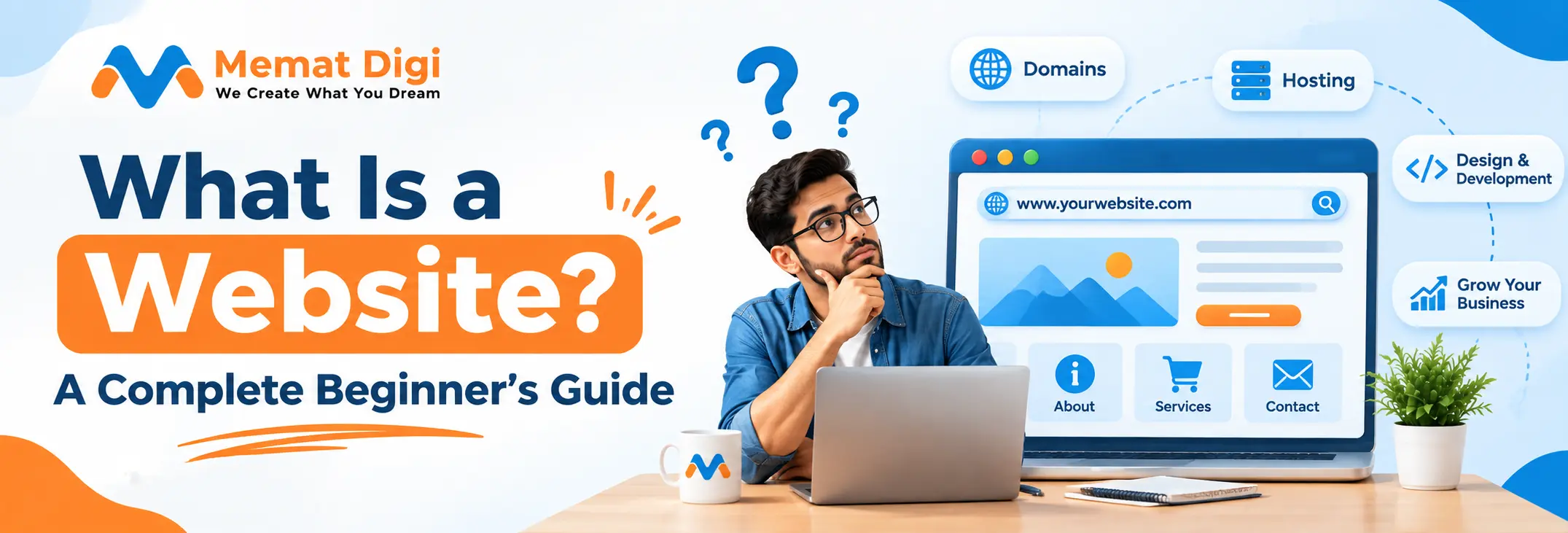
A website is a group of web pages grouped together under a single domain name, which are displayed in a web browser. So, you may have been wondering what a collection of web pages is called and here it is. The web page is a single page and the website is the connected set.
Three things make working together. The address, like your brand. in is called a domain name. When you put your files somewhere, they are stored on that server, host. The browser is what the visitor uses. The browser then sends your address to the server and the server responds with the page files which are then displayed.
The homepage of the web site is the primary entry point. In practical terms, home page is the page that explains to the visitor what you offer and after which they can proceed. For any dental clinic, the homepage of the website needs to display services, location and an obvious method to schedule a visit. It can be found within various websites including a manufacturer's company site, a news portal, a restaurant's menu page and a freelancer's portfolio.
If you are new to the internet and want to understand the basics, learning what is a website can help you understand how websites are structured, how they work and how people use them to find information, explore services or connect with businesses online.
What are the various types of websites?
Websites come in many different varieties and the variety of the job dictates the design, features and budget. The main types are:
Business and company websites feature services, credentials and contact information. The prospect's first stop is a company website when deciding whether to call.
Ecommerce websites are webstores that have products or services for sale and have carts and payments.
Blogs and content websites post articles on a regular basis to draw readers. These are easy to start with the ready-made blog website templates.
Designers, photographers and agencies present their work on creative and portfolio websites. The cool websites that people share are many, and many of the sites that they share are creative sites with an unusual layout.
Courses, notes, and learning material are given at educational websites.
Websites that provide news and information have regular updates.
Personal websites are for people who wish to have an online identity.
Community and membership sites provide logins, discussion boards or gated content.
Landing pages and project websites are dedicated to one campaign, event or product launch.
A restaurant website, for example, needs a menu, photos, location and a reservation or ordering option. It does not need the features of a news portal. Matching the type to your goal avoids paying for things you will not use. For a fuller breakdown, see different types of websites and their uses.
It's one of the initial technical decisions a business will make and it's not as hard as it's all too often made out to be.
A static web site consists of static pages. A static web page that remains unchanged until a web developer makes a change. A static site example is a small consultancy site with a homepage, a services page and a contact page.
A dynamic Web site is a Web site that creates Web pages on the fly. It fetches information from a database, and can interact with the visitor, such as displaying the visitor's order history, or the latest blog posts. Dynamic websites are the most common type of website that is updated frequently or has user login.
Choose static if your content rarely changes and you want a fast, simple site. Choose dynamic if you need frequent updates or user interaction. The static vs dynamic website differences go deeper once you know your requirements.
A web application or web app, is one that you access via a browser and do not install. Essentially, a website is a place that offers information. A web app gives the user the ability to perform actions: sign-in, input data, perform calculations and view the results relevant to the individual.
Popular types of web applications include online banking services, online scheduling, customer portals, project management software, and browser-based graphics applications in which you create or modify images online. These are user accounts, dashboards, forms and interactive functions, among other characteristics.
This helps with a simple test. As long as visitors read and then contact you, a website is necessary. If they have to sign in, manage records, keep track of orders or collaborate, you need a web application. A distributor that gives dealers the freedom to order and download invoices should not have a brochure site, but a portal.
This is where a web portal development company can help. Unlike a normal site, portals require more planning and will incorporate secure logins, role-based access and integration with your internal systems. The basics are covered in what is a web application.
Ecommerce web development means building a site where customers can browse, choose, pay for and receive products. Think of a retailer in Surat with a busy offline shop who wants to sell sarees to customers across India. The online store becomes a second shop that never closes.
Behind the screen, several parts work together:
A product catalogue and individual product pages with images, prices and descriptions.
A shopping cart and checkout.
Payment gateway integration for UPI, cards and net banking.
Order and inventory management, so stock stays accurate.
Customer accounts and order tracking.
A mobile-friendly experience, since many Indian shoppers buy on phones.
Ecommerce website design involves aspects of the appearance and feeling of the online store, such as layout, product photographs and checkout process. Ecommerce Development includes everything about how it works - the logic in the cart, payments, database, and integrations. You need both.
The ecommerce platform in India makes a difference in retail ecommerce. Hosted platforms are quicker to go live. Custom builds are more involved and cost more, but give you more control. Before you select, consider the amount of ecommerce products, shipping partners, payment methods, and growth plans. This is explored in detail in our in-depth ecommerce website development in India guide.
You do not need to code to commission a website, but knowing the building blocks helps you ask better questions.
Front-end development is everything the visitor sees and interacts with. It uses three core languages: HTML for structure, CSS for layout, colours and responsive design, and JavaScript for interactive behaviour such as menus and form validation. Back-end development is the hidden side: the server, application logic and databases that store information such as products or user accounts.
A content management system (CMS) lets non-technical staff edit pages and publish posts without touching code. Frameworks are pre-built toolkits that speed up development. Front-end frameworks help build interactive interfaces, and back-end frameworks handle server logic. You do not need to memorise names. Ask your developer why they chose a technology and what it means for your maintenance and future flexibility.
If you are curious what a competitor’s site runs on, free tools let you check website technology. Anyone learning web programming or building web development projects will see how these layers fit together: the front end shows, the back end processes and the database remembers.
HTML tags are the labels that tell a browser what each piece of content is. A heading tag marks a title, a paragraph tag marks body text, an anchor tag creates a link and an image tag places a picture. Types of tags in HTML include structural tags, text tags, list tags, link and media tags, and form tags.
Semantic HTML means using tags that describe their purpose. The nav tag, for instance, marks the main navigation menu, which helps browsers, screen readers and search engines understand the page. Among the key features of HTML are its simplicity, wide browser support and its role as the base for every web page. Even data text HTML, the text content wrapped in these tags, relies on correct structure to be read properly. A full walkthrough is in HTML tags and their uses.
HTML builds the skeleton of a page and CSS dresses it. Without CSS, a page is plain text and images stacked down the screen. With it, you get columns, brand colours, spacing and layouts that adapt to phones and desktops.
For beginners, small HTML and CSS projects, such as a personal profile page or a simple restaurant menu, are the best way to understand front-end development. Practical exercises and HTML practical questions teach more than theory alone. If you want to start learning, HTML and CSS projects for beginners is a good place to begin.
Good websites are planned before they are built. Start with these questions:
What is the business objective? Generating enquiries, selling products and building credibility need different designs.
Who is the audience? A B2B buyer in Pune and a college student look for different things.
What domain name suits you? Keep it short, easy to spell and close to your brand name.
How will pages be organised? Sketch the structure and navigation so visitors find what they need within a few clicks.
What content do you have? Clear copy, real photos and honest descriptions matter more than decoration.
How will people contact you? Add simple contact forms, phone and WhatsApp options.
Keep a consistent visual identity across pages, with the same colours, fonts and tone.
Each page serves a visitor at a different stage of deciding.
Homepage: a quick answer to “what do you do and is it for me?”
About Us page: builds trust by showing who is behind the business. Genuine about us images of your team or premises work better than stock photos.
Services page: explains our services in plain language, with outcomes and process.
Product or portfolio pages: show proof through real work.
Contact page: makes the next step easy.
Blog or resources: answers questions and supports search visibility.
Privacy policy and legal pages: needed for trust and compliance, especially if you collect data.
For a step-by-step view, read how to create a professional company website.
Nowadays, newbies are looking up how to create a website using the term website kaise banaye or how to create a website with the help of AI? AI website creation involves leveraging tools that create page designs, draft content, propose colors and graphics, and even code from a textual description.
First, clearly articulate your business, audience and goals in a prompt. Choose a builder that fits your needs, look at the layout and fill out the placeholders with correct text. Use actual images, and preview it on a mobile device before publishing.
AI has limits. It can create generic copy, lose you brand's tone, fact-check errors, and create layouts that appear great but don't work. Human intervention is still needed. Before going live, look at SEO fundamentals, responsiveness to mobile devices, security, accessibility and page speed. With AI, the initial draft is quick. This is not a substitute for testing or common sense. Get a hands-on look at how to create a web page with AI.
A clear process keeps projects on time and on budget. Here is how a typical project runs.
The developer learns your business, audience, required features and success measures. Good answers here prevent expensive changes later.
This covers the sitemap, page hierarchy, navigation and the content each page needs. Content gaps are identified now, not at launch.
Wireframes are rough page blueprints. They test layout and user journeys before visual design begins. Designs are made mobile-first, as most visitors arrive on phones.
Designers’ layouts become working pages. Back-end work builds the features behind them, such as forms, databases, logins and payments.
Text, images and videos are added. Headings, meta titles and descriptions, clean URLs, image optimisation and internal links are set up so search engines can understand the site.
Testing covers mobile responsiveness, browser compatibility, broken links, form submissions, loading speed, security and core functions. Fixing problems here is far cheaper than after launch.
The site goes live after domain and hosting configuration. After that come regular backups, updates, uptime monitoring and gradual improvements based on how visitors behave.
If the site has a design that appears dated, is slow to load, does not function very well on phone, is no longer representative of your services or brand, confuses visitors or is restricted by outmoded technology, the site needs to be redesigned.
There's a risk that the redesign will lose the search visibility you've gained. If URLs are changed without redirecting and/or content is removed, then the pages that rank today may not exist in the future.
Map every old URL to its new one and set up redirects. Do not change URLs unless there is a clear reason.
Keep valuable existing content that already performs.
Review meta titles, descriptions and headings.
Check internal links for breaks.
Confirm canonical tags are correct.
Update the sitemap and review robots.txt so important pages are not blocked.
Test mobile responsiveness and speed.
Monitor Google Search Console after launch for errors and traffic changes.
The full list is in our website redesign SEO checklist.
Rendering is how a page’s content gets turned into what you see on screen. There are three main approaches.
Server-side rendering (SSR): the server builds the full page for each request and sends finished content to the browser.
Client-side rendering (CSR): the browser receives a mostly empty page and builds the content using JavaScript.
Static site generation (SSG): pages are built in advance and served as ready-made files.
Rendering affects how quickly content appears and whether search engines can read it easily. Search engines can process JavaScript, but heavy client-side pages may be slower to render and are more prone to implementation problems. SSR and SSG make content available immediately in the HTML.
This does not mean SSR automatically improves rankings. Rendering is one part of technical SEO, and quality of implementation, speed and content still decide results. A content-heavy business site often suits SSR or SSG. A logged-in dashboard where search visibility is irrelevant may work fine with CSR. Read more on server-side rendering for SEO.
There is no standard price, because websites vary widely. A simple five-page informational site and a custom ecommerce platform with payment integrations are completely different projects. Any figure you see online is at best indicative, so always ask for a written quote based on your requirements.
The main cost factors are:
Type and complexity of the site.
Number of pages.
UI/UX design requirements.
Custom functionality.
Ecommerce features and integrations.
Content creation.
SEO requirements.
Hosting, domain and maintenance.
Ongoing technical support.
For a general overview, see website development cost in India.
Website development charges rise with custom features, third-party integrations such as CRMs, payment gateways and logistics tools, advanced functionality like multi-user portals, and bespoke design in place of templates. Multilingual content, large product catalogues and tight deadlines also add cost. A simple website design built on a clean template sits at the lower end.
List the features you must have at launch and those that can wait. Launch with the essentials and add more once the site proves its value. Compare quotes on scope, not only price. Check what is included: design, content, SEO setup, testing, training and post-launch support. The cheapest quote often leaves out items you will pay for later.
Traffic alone is not success. A site can attract visitors and still produce no enquiries. Common reasons include:
Unclear value proposition: visitors cannot tell within seconds what you offer.
Weak homepage messaging: vague slogans instead of specific benefits.
Confusing navigation: people cannot find services or pricing information.
Missing or poorly placed calls to action: no obvious next step.
Slow loading and poor mobile experience: visitors leave before reading.
Lack of trust signals: no client logos, reviews, certifications or real contact details.
Unclear service information: visitors cannot tell what is included.
Complicated forms: ten fields where three would do.
Mismatch with search intent: someone searching for “CA firm for startups” lands on a generic accounting page.
Practical fixes are often small. Rewrite the homepage headline to state what you do and for whom. Add a “Request a quote” button on every service page. Cut the enquiry form to name, phone and requirement. Add real client feedback with permission. If you are asking why your business website isn’t generating leads, start with these basics and track enquiries rather than visits.
Once your site is live, a handful of qualities decide whether it works.
Clear messaging: visitors understand your offer at a glance.
Easy navigation: important pages are never more than a couple of clicks away.
Mobile responsiveness: the site works well on every screen size.
Useful, original content: pages answer real customer questions.
Search engine optimisation: the site is built so it can be found.
Speed and technical quality: pages load quickly and run without errors.
Security and trust: HTTPS, updated software and visible business details.
Conversion-focused structure: each page leads to a clear next step.
Regular updates: outdated information damages credibility.
A website is rarely enough on its own. It works best as the base for a wider digital marketing strategy, where search, social media, email and advertising bring the right people to it.
Choosing a partner is a bigger decision than choosing a price. Look at these points:
Portfolio and relevant experience: have they built something similar to what you need?
Understanding of your business: good agencies ask about your customers and goals before talking about design.
Design and development capability: check that one team can handle both.
SEO-friendly practices: clean code, proper heading structure, speed and redirect handling.
Communication and timelines: clear milestones and a named point of contact.
Pricing transparency: itemised quotes with no vague “miscellaneous” costs.
Post-launch support: maintenance, security updates and bug fixes.
Ownership: make sure you own your domain, hosting access, source files and content.
Memat Digi offers a website development company in India service covering planning, design, development and SEO-ready setup, aligned with your business goals. Whoever you choose, ask for specifics in writing.
Website development is the process of planning, designing, building and maintaining a website. It includes the visible design, the behind-the-scenes functionality, content setup, testing, launch and ongoing support so the site works properly for users and the business.
The main types are business websites, ecommerce stores, blogs, portfolios, educational sites, news sites, personal sites, community or membership sites and landing pages. The right choice depends on whether you want to inform, sell, publish, showcase work or serve registered users.
It depends on size and complexity. A simple informational site can often be completed in a few weeks, while ecommerce stores and custom web applications usually take longer. Delays most often come from late content, repeated design changes and added features.
Cost depends on website type, number of pages, design, custom features, integrations and support needs. A basic site costs far less than a custom ecommerce platform. Request itemised quotes from developers, and compare what is included instead of only the total.
Yes, AI website builders can generate layouts and content without coding. However, you still need to review accuracy, edit copy, and check mobile display, speed, security and SEO. For complex or business-critical sites, professional developers add reliability and customisation.
A good website starts with choosing the right type for your goal, then planning carefully, picking suitable technologies and following a clear development process. Costs, redesign decisions and rendering choices all become easier once your priorities are set. What matters most is a site that stays useful after launch, one that earns trust and brings in relevant enquiries. If you are ready to plan yours, explore Memat Digi’s website development services and start with a conversation about what your business needs.
Be the first to share your thoughts.
© 2026 All rights reserved MematDigi Pvt. Ltd.


0 Comments